30 Oct 2026 · v1.6.67Fixes updating from 1.6.65: the update could stop with an error saying SFW Macropad was still open. Includes the new tour from 1.6.66.
30 Oct 2026 · v1.6.66New tour: each tip now opens in its own little window beside the app, with a white line pointing at the part of the app it is about.
30 Oct 2026 · v1.6.65Starts about 4x faster on Windows (about 1 second instead of 4: it is now installed as a normal folder, so it no longer unpacks itself every time). Updating shows an Updating box until the new version is open, and then shows what is new instead of the tour. The tour now walks you through the real app. Scroll on the 3D pad (and in Edit look) to zoom in. Two pads: rename them in the pad list. A refresh button next to minimise checks for an app update right away.
30 Oct 2026 · v1.6.64The action picker no longer flickers when you move the mouse over it, and it stays the same size while you search.
30 Oct 2026 · v1.6.63Choosing what a switch does is easier: instead of one long dropdown, the actions are shown in groups (keyboard, mouse, sound & voice, streaming...) with a line about each, and you can search (try volume, obs or type).
30 Oct 2026 · v1.6.62Fixed: after recording a macro, pressing stop (or F9) could leave the app frozen - the editor stayed hidden while still blocking the main window. The log (Ctrl+L) now also notes if the window ever stops responding, and where.
30 Oct 2026 · v1.6.61New: a log (settings → log, Ctrl+L, or “show log” while flashing) that shows what the app and the pad have been doing, so a problem can be copied into a bug report. Wi-Fi details, what your switches type and your settings are never written to it.
30 Oct 2026 · v1.6.60A switch's details and the stats list no longer turn what you typed into lowercase (Type “Hello” now shows as type “Hello”, not “hello”). Linux: “start at login” now follows the app file after an update or if you move it.
30 Oct 2026 · v1.6.59Text that doesn't fit in the app (the status line, the message line at the bottom, long names) now scrolls slowly back and forth so you can read all of it, instead of being cut off.
30 Oct 2026 · v1.6.58Settings → port has a new choice, Nothing: the app then doesn't connect to any pad. Linux: editing a switch saves again (from 1.6.57).
30 Oct 2026 · v1.6.57Linux app: editing a switch (and the app's other pop-up windows) works again - the editor closed straight away on Linux, so changes weren't saved. Windows is unchanged (1.6.56).
30 Oct 2026 · v1.6.56ESP32-S2 pads now update their firmware over the USB cable only (Wi-Fi updates didn't work on the S2): the update prompt offers Update over USB, and the Wi-Fi update buttons are off for an S2. New action: TikTok LIVE Studio (go LIVE / end LIVE, recording, mic, scenes, sound effects) using LIVE Studio's own hotkeys. Linux: the Bluetooth pad no longer keeps disconnecting and reconnecting.
30 Oct 2026 · v1.6.55ESP32-S2: fixed updating the pad over Wi-Fi (the firmware download was failing on the S2; it now downloads over plain HTTP, still checked by its signature). The bundled S2 firmware is sfws2-3.
29 Oct 2026 · v1.6.53ESP32-S2 SuperMini support is ready: the app now flashes an S2 (no BOOT button needed - it talks to the board over USB) and recognises every S2/S3/C3 variant. A fresh install now shows the flashing step first, then the tour once the app opens.
29 Oct 2026 · v1.6.54Setup: if your pad already has the firmware, the app now skips the flashing step and opens straight away. You can also still skip flashing yourself from that screen.
29 Oct 2026 · v1.6.52The settings tab now scrolls, so the buttons at the bottom (flash firmware again, back up, restore) are always reachable on smaller screens. Pins tab: the "that GPIO isn't one of your switches" note no longer gets cut off and now lists your switches' pins, and the knob settings fold away into one line. Beta: ESP32-S2 SuperMini support, with help for putting an S2 into flashing mode.
29 Oct 2026 · v1.6.51Switches page: picking a key no longer slides the pad into the fog on the right or off the bottom of the window.
29 Oct 2026 · v1.6.50ESP32-S2 SuperMini support (beta): the app flashes it with its own build of the USB pad firmware and shows the S2's pins. Also fixed scrolling errors after closing some windows.
29 Oct 2026 · v1.6.49Key turbo: new "As fast as possible" option (like the autoclicker's) - about 60 presses a second, still long enough for games to see each one.
29 Oct 2026 · v1.6.48Two pads: Settings - second pad - show it "as its own pad" (pick pad 1 / pad 2 above the pad picture, its switches are numbered from 1) or "joined onto pad 1" (one big pad).
29 Oct 2026 · v1.6.47Key turbo fix: the presses now work in games too (each press carries the key's real scan code and stays down a moment). A "while held" turbo on a switch that also has a double-tap or hold now runs until you press it again.
29 Oct 2026 · v1.6.46Gallery: send a new version of a profile you shared - likes, ratings and comments stay.
29 Oct 2026 · v1.6.45Gallery: report a profile that's harmful, spam or broken.
29 Oct 2026 · v1.6.44Gallery: tags (gaming, streaming, editing...) and a tag filter, on the website and in the app.
29 Oct 2026 · v1.6.43Gallery: featured profiles - starting with the official Starter streaming kit.
29 Oct 2026 · v1.6.42Gallery: rate profiles out of 5 and comment on them (on the website).
29 Oct 2026 · v1.6.41Two pads at once: Settings - second pad. Its switches come after the first pad's.
29 Oct 2026 · v1.6.40Icon by the clock: Open / Pause pad / Quit, and choose how the app opens with Windows (minimised, by the clock only, or as a window).
29 Oct 2026 · v1.6.39Light theme: Settings - theme - light.
29 Oct 2026 · v1.6.38Undo: take back the last 30 changes (the undo link, or Ctrl+Z).
29 Oct 2026 · v1.6.37Search: find any action in every profile, page, combo and the knob (the search link, or Ctrl+F).
29 Oct 2026 · v1.6.36Pad lock: one key locks every other key until you press it again.
29 Oct 2026 · v1.6.35Key heatmap: the stats page shows which keys you press most.
29 Oct 2026 · v1.6.34Per-key colours on the 3D pad: edit look - key colours - "by what they do" colours each key by its action.
29 Oct 2026 · v1.6.33Info pop-up: a key shows the weather or a line from any web address (with a JSON path).
29 Oct 2026 · v1.6.32Webhooks: a key calls any web address (IFTTT, Zapier, n8n, your own server). Never shared with a profile.
29 Oct 2026 · v1.6.31Home Assistant: switch lights, plugs, scenes and scripts from a key.
29 Oct 2026 · v1.6.30Discord: push-to-talk (hold a key while the switch is held) and jump to a voice channel by name.
29 Oct 2026 · v1.6.29Crosshair: a key shows a crosshair in the middle of the screen - pick the shape, size and colour.
29 Oct 2026 · v1.6.28Key turbo: a key that presses itself again and again - while the switch is held, or press to start and again to stop.
29 Oct 2026 · v1.6.27Game profiles: the gallery's "my games" lists your Steam and Epic games - make a profile that switches on by itself while the game is in front, or find one in the gallery.
29 Oct 2026 · v1.6.26Soundboard upgrades: fade sounds out instead of cutting them off, a key that plays a random sound, and a volume for each sound.
29 Oct 2026 · v1.6.25Countdown timer: a key starts a countdown that can show in an OBS text source, with a pop-up when time's up.
29 Oct 2026 · v1.6.24OBS extras: set the transition, play / stop a media source, filters on / off, studio mode and send it live.
29 Oct 2026 · v1.6.23Privacy key: mute every mic and / or turn the camera off and on again.
29 Oct 2026 · v1.6.22Text variables: typed text can include {date}, {time}, {day}, {datetime}, {year} and {clipboard}.
29 Oct 2026 · v1.6.21Clipboard history: paste something you copied earlier - the last 10 things you copied, kept in memory only.
29 Oct 2026 · v1.6.20Launch groups: one key opens several programs and websites at once (e.g. everything for streaming).
29 Oct 2026 · v1.6.19Window snapping: snap the window in front left / right, maximise, minimise, centre it, keep it on top or move it to the other screen.
29 Oct 2026 · v1.6.18Screenshots: the whole screen, the window in front, or snip an area - saved as a PNG.
29 Oct 2026 · v1.6.17PC keys: lock the PC, sleep, turn the screen off, show the desktop, empty the Recycle Bin, open Task Manager.
29 Oct 2026 · v1.6.16Switch audio output: a key that flips between your speakers and headset (or goes to one you pick).
29 Oct 2026 · v1.6.15Back up and restore: Settings - back up / restore. One file with your settings, profiles, sounds and stats - handy for a new PC. Restoring saves what you had first.
29 Oct 2026 · v1.6.14Gallery: like profiles on the website and sort by most liked, most downloaded or newest (in the app's gallery too).
29 Oct 2026 · v1.6.13Spotify: like / unlike the song that's playing, show what's playing, play / pause, next and previous - with the song in the pop-up. Works with the Spotify app, no login.
29 Oct 2026 · v1.6.12OBS: show / hide a source (a BRB image, your webcam...) - toggle, show or hide, in the live scene or one you pick.
28 Oct 2026 · v1.6.11Delete a profile: "delete profile" next to the profile list (any profile except Default).
28 Oct 2026 · v1.6.10Shared profiles keep their sounds: every sound you use goes into the file, sounds made from a YouTube link also carry the link (so they're downloaded again if the file is missing), and you're told about any sound that couldn't be included.
28 Oct 2026 · v1.6.9Took the I2C expander option out again for now - it needs more work. The knob and everything else from 1.6.1-1.6.6 stays.
28 Oct 2026 · v1.6.6Knob: wire a rotary encoder to two GPIOs and pick them on the Pins tab. Turning it does anything a switch can (volume by default); its click is a normal switch. Needs the new pad firmware (Settings - flash firmware).
28 Oct 2026 · v1.6.5Profile gallery: browse profiles other owners shared and import one in a click ("gallery" under the pad picture), or share yours on samuelssstuff.xyz/sfwmacropad/gallery.
28 Oct 2026 · v1.6.4Recorded macros: press Record in a macro, do it once on your keyboard and mouse (F9 to stop) and it's saved as steps - typing, key combos, clicks at the spot you clicked and the pauses.
28 Oct 2026 · v1.6.3Combos: press two switches together to do something of their own ("combos" under the pad picture).
28 Oct 2026 · v1.6.2Layers: set a switch to "Switch page - only while this switch is held" and the other switches do that page's actions while you hold it.
28 Oct 2026 · v1.6.1Profiles: picking a profile in the list now puts it in use (it gets a tick), and "+ new profile" is in the list - an everyday profile or one that follows an app. Imported profiles are used straight away.
28 Oct 2026 · v1.6.0Big update: OBS controls (switch scenes, start/stop streaming and recording, mute sources), Discord mute/deafen, per-app volume, sound pages (one switch flips the pad to another set of actions), trim and preview for sounds, a voice changer for voice chat, key labels on the pad picture, profile sharing (export/import a profile with its sounds), usage stats, and a quick tour on first start. Also fixes switch 1 showing no GPIO on the Pins page of the Bluetooth pad.
28 Oct 2026 · v1.5.3YouTube sounds now keep working when YouTube changes: the app fetches the newest YouTube downloader by itself (checked once a day when you use it).
28 Oct 2026 · v1.5.2YouTube sounds: paste a link (and optional start/end) to turn a video into a sound. Voice chat: your sounds and mic go into Discord etc. through VB-CABLE, installed with one click. Sounds with emoji in their names now play.
28 Oct 2026 · v1.5.1Soundboard: put sounds on your switches (14 built in, or add your own .mp3/.wav) and pick which speakers or headphones play them. Also: turn the 3D pad by dragging it, choose the colour of the selected-key ring, smoother window dragging, and pop-ups that match the app.
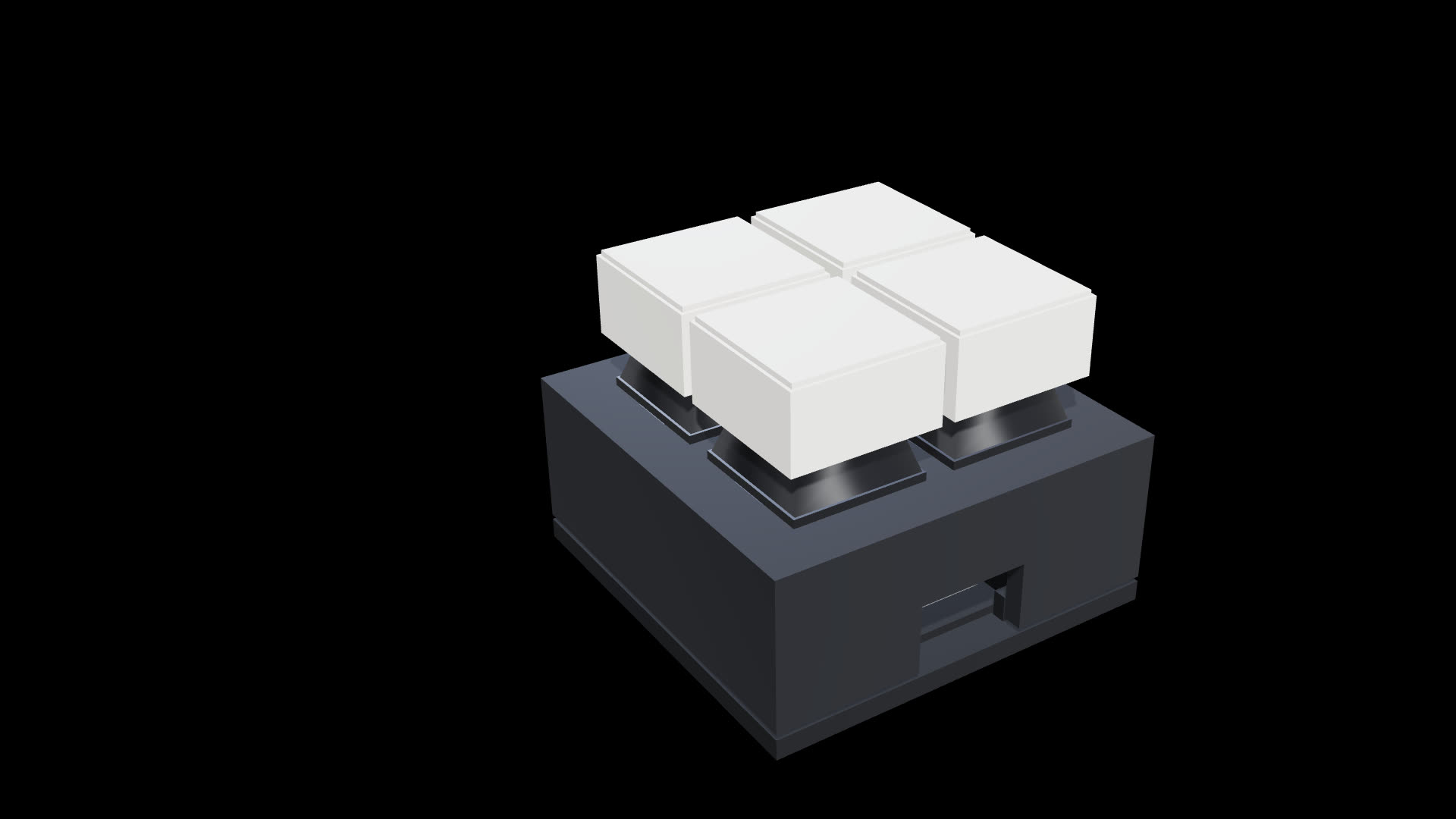
28 Oct 2026 · v1.5.0New look: a 3D model of your pad that tilts and zooms to the key you pick, a start-up logo, and a pad look editor to match your case's colours and layout. Also fixes a crash when dragging the window.
28 Oct 2026 · v1.4.0The app now updates itself: when a new version is out it offers to install it in one click.
28 Oct 2026 · v1.3.0Pads with old firmware are asked to update (over Wi-Fi or USB) before the app runs their switches.
27 Oct 2026 · v1.2.0Bluetooth pad support (SFW BLE Macropad, ESP32-C3). The flasher picks the right firmware for an S3 or C3. Fixed the USB pad sometimes dropping into download mode.
26 Oct 2026 · v1.0.0First release.